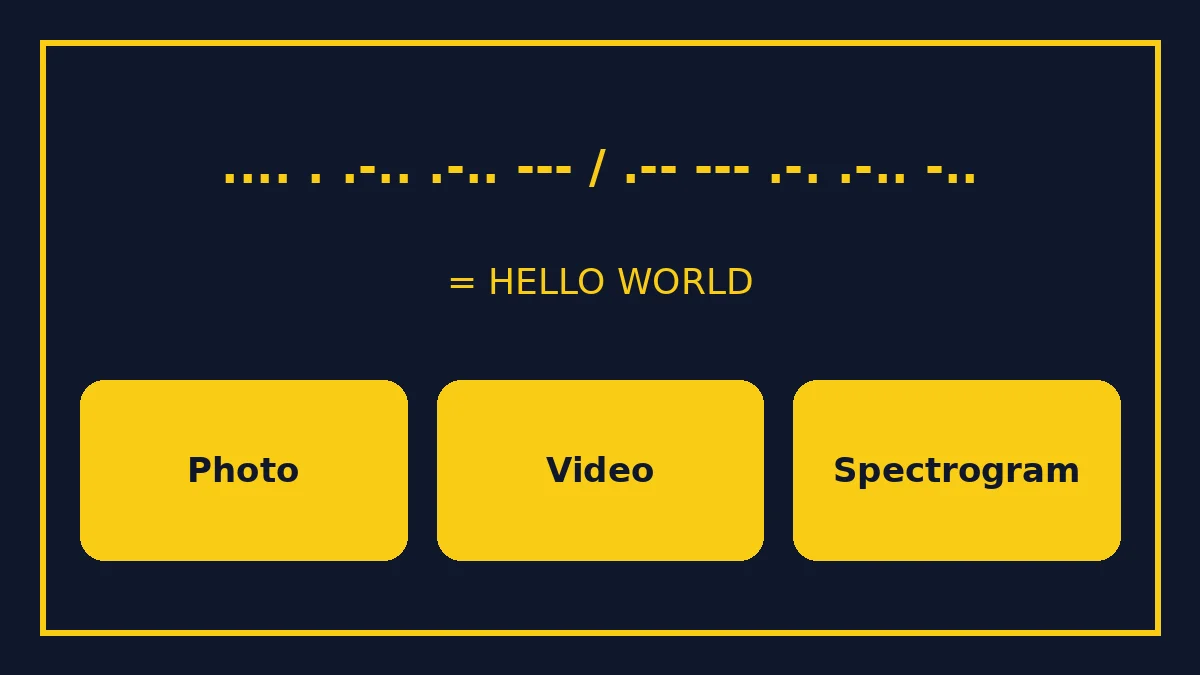
A Morse code translator from image sounds like a one-click tool, but most pictures of Morse code are easier, and more accurate, to read by hand first. Once you have the dots and dashes written as text, any decoder turns them into letters in a second. This guide shows how to read Morse code in a photo, a screenshot, a jewellery engraving, a spectrogram and a blinking-light video, then decode it with the free MorseCoder translator.
The fastest method: transcribe, then decode
Every "decode Morse code from picture" job follows the same two steps:
- Transcribe what you see into dots (.), dashes (-), a space between letters and a slash (/) between words.
- Paste that text into the Morse code decoder and read the result.
Step 1 is where people go wrong, so most of this guide is about reading the image correctly.
How Morse code timing looks in an image
International Morse code is defined by timing, and the timing rules make it readable in pictures:
| Element | Length |
|---|---|
| Dot (dit) | 1 unit |
| Dash (dah) | 3 units |
| Gap inside a letter | 1 unit |
| Gap between letters | 3 units |
| Gap between words | 7 units |
These ratios come from the ITU's international Morse standard (Recommendation ITU-R M.1677-1), which our plain-English guide to the standard explains. In an image, that means a dash should be about three times as long as a dot, and the space between words should be clearly wider than the space between letters.
1. Printed dots and dashes (photos and screenshots)
This is the easiest case: a T-shirt, a sign, a puzzle in a book or a screenshot from a game.
- Zoom in so you can see each mark clearly.
- Find the word breaks first. Look for the widest gaps or slashes.
- Split each word into letters at the medium gaps.
- Write each letter as dots and dashes, separated by single spaces.
- Decode in the translator.
If the designer used other symbols, such as short and long bars, circles and lines, or 0 and 1, map them to dots and dashes before decoding. Most decoders expect a full stop and a hyphen.
Tip: check the rotation
Morse in a photo may be upside down or mirrored, especially on jewellery or a window. If the result is nonsense, read it in the other direction. The letters change, so try both before deciding it is a code you cannot read.
Clean up the picture before you read it
A few seconds of preparation makes transcription much easier, and you can do all of it with the photo editor already on your phone or computer:
- Crop to the code only, so nothing else distracts you.
- Straighten the image if the photo was taken at an angle. Perspective makes dots near the camera look larger than dashes far away.
- Raise the contrast or switch to black and white, so faint marks stand out.
- Zoom to a fixed size and measure a few marks. The shortest common length is your dot; the longest common length is your dash.
- Number the words on a piece of paper as you go, so you never lose your place in a long message.
If the picture is blurry, look for a sharper copy from the original source before you start. Guessing letters from a blurred image usually produces a message that looks almost right but is wrong.
2. Jewellery, tattoos and beads
Bracelets and necklaces often use beads: a small bead for a dot, a long bead for a dash and a spacer for a gap. Tattoos may use dots and lines with very tight spacing. The method is the same, but the gaps are the hard part. Count the spacers. If a design has no letter gaps at all, there may be several valid readings, and the maker's intended phrase can only be confirmed by the maker. Our Morse code bracelet guide shows how bead spacing is usually laid out.
3. Blinking light in a video
A flashing torch, a ship's lamp, a film scene or a social-media clip can all carry Morse code. You cannot read a moving light from a single frame, so slow the video down:
- Play at reduced speed, if your player allows it.
- Step frame by frame where the light switches on and off. VLC media player, for example, has a "next frame" command.
- Count frames for each flash. The shortest flash is a dot; one about three times longer is a dash.
- Count frames for each dark gap to find letter and word breaks.
- Write it down and decode.
To practise the other way round, our light Morse code translator turns your text into flashes on screen, so you can see what clean timing looks like. Test it on an Arduino SOS blink you filmed yourself.
4. Spectrogram images
A spectrogram is a picture of sound: time runs left to right, pitch runs bottom to top, and loudness shows as brightness. A Morse tone appears as a row of short and long bright bars at one pitch. This is common in puzzle hunts and in game "secrets".
To read it:
- Find the horizontal line where the bars sit.
- Read the bars as dots and dashes using the 1:3 length ratio.
- Use the gaps for letters and words.
If you have the audio file rather than a picture, you can make the spectrogram yourself. Audacity, a free audio editor, has a spectrogram view, and Morse Code World's free adaptive audio decoder displays a live spectrogram while it decodes an uploaded file or your microphone. MorseCoder's own audio decoder guide and audio translator cover sound-based decoding.
5. Handwritten Morse
Handwriting is the hardest, because people rarely keep dots and dashes consistent. Look for the two lengths the writer actually used rather than an ideal ratio, then group marks by the gaps. If the writer used slashes or vertical lines between letters, they are a gift: treat each one as a letter break.
Why not just use an "image to Morse" tool?
Some sites offer to read Morse code from an uploaded picture. Results depend heavily on the image: clean, high-contrast printed code can work, while photos with perspective, shadows, beads or decorative fonts often fail or merge letters. MorseCoder does not currently have an image upload decoder. In our experience, transcribing by hand takes a minute or two for a short message and gives you something you can check, which is why we recommend it first.
Worked example
Suppose a photo of a wall shows:
.... . .-.. .-.. --- / .-- --- .-. .-.. -..
- The slash marks one word break, so there are two words.
- The spaces split the first word into five letters: ...., ., .-.., .-.., ---.
- Paste the whole line into the decoder.
- The result is HELLO WORLD.
If your result has a strange letter in the middle, check that letter's gaps again. A missing space turns two letters into one, for example . and - (E and T) into .- (A).
Morse in puzzles and escape rooms
Puzzle makers love hiding Morse code in pictures: fence posts, piano keys, window lights, stripes on a poster. The trick is to decide what counts as a dot and what counts as a dash. Look for exactly two sizes or two shapes. Anything that appears as a regular separator, such as a pillar or a blank tile, is probably a gap. Escape-room answers are usually short, so if you decode more than one or two words, check whether part of the image is decoration rather than code.
Common mistakes
- Ignoring gaps. Letter and word gaps matter as much as the marks.
- Mixing American and International Morse. Old railway code used different letters. Our International vs American Morse page shows the difference.
- Reading prosigns as letters. Signals such as AR or SK are sent without a gap. See Morse code prosigns.
- Assuming numbers are letters. Numbers use five marks each; check the Morse code numbers chart.
- Not checking direction on mirrored or rotated images.
Practise reading Morse visually
The best way to get faster is to learn the alphabet by sound and shape together. Keep the Morse code chart open while you transcribe, and use the Morse code trainer to build recognition. After a week or two of practice, you will read short pictures without the chart.