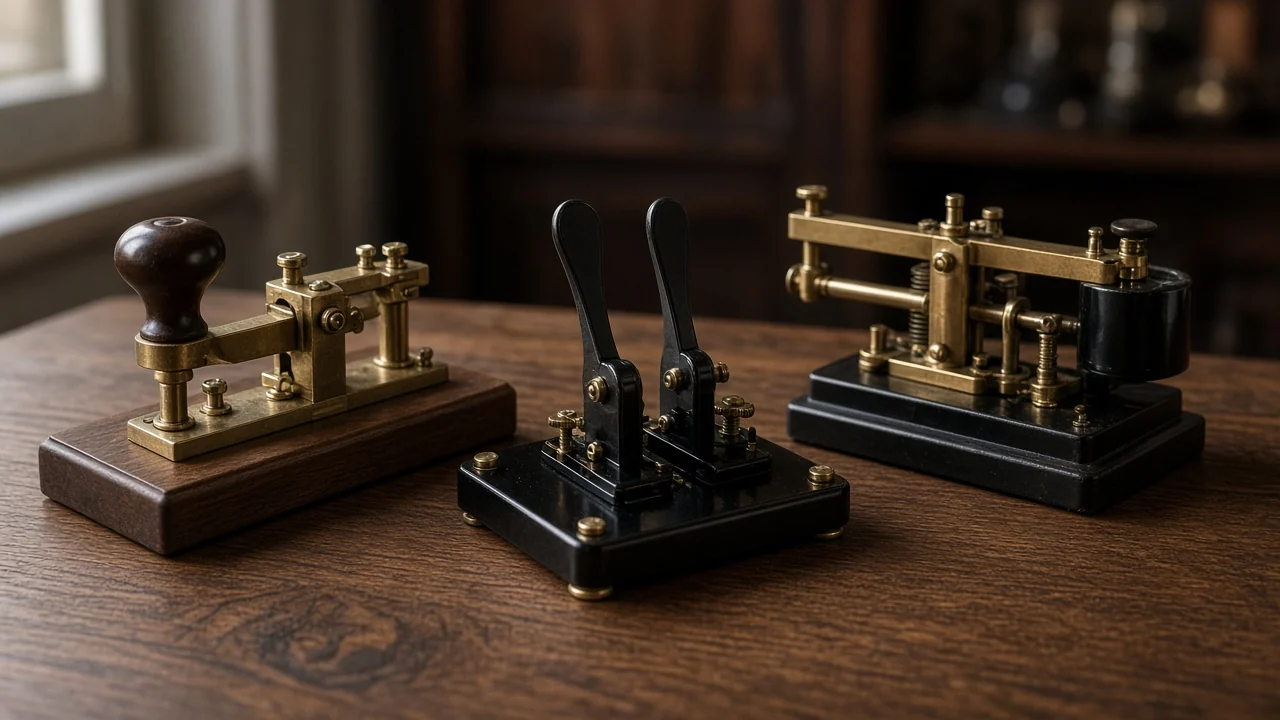
Morse keys, paddles, and bugs are three families of hardware for sending Morse code by hand. A straight key is a single bar you press for every dit and dah. A paddle, usually used with an electronic keyer, lets you rock two levers so the keyer forms the dots and dashes. A bug is a semi-automatic mechanical key: it typically makes a string of dits for you with a vibrating arm, while you still make the dahs by hand.
If you are choosing a first key, start with the beginner's buying comparison of straight keys versus paddles. This page is the wider map: how each design works, what it asks of your hand, and how to practice without buying the wrong tool twice.
You can hear and send Morse in a browser with the Morse translator while you wait for hardware to arrive. The key does not replace listening; it is how you send once your ear is already in the game.
Straight keys: one lever, every element
A straight key is the classic up-and-down key. You close a contact with a knob or a flat paddle, hold it for a dah, and tap it for a dit. You are responsible for all timing: the length of each element, the space inside a letter, and the space between letters and words.
That is why instructors still start many students on a straight key. You feel the rhythm instead of outsourcing it to a circuit. The downside is fatigue and, at higher speeds, a harder ceiling. Clean straight-key sending at everyday conversational speeds is a craft; rushing it produces muddy letters.
Good habits:
- Rest the arm so your wrist and forearm can move, not only your fingertips.
- Keep the key stable on the desk. A walking key wrecks timing.
- Use a timing and WPM guide so your dits stay short relative to your dahs.
- Record a short call sign or a practice word and compare it with a known good recording.
A straight key is also the right mental model for tapping Morse on a table or a flashlight, because those methods are also "one contact, you time everything."
Paddles and electronic keyers
A paddle has two levers (or two sides of a single rocker). One side means dits, the other means dahs. You press a side; an electronic keyer starts a string of correctly timed elements and, in iambic modes, can alternate them if you squeeze both sides.
This is the modern default for many ham radio operators who want speed with less wrist strain. The paddle is not doing the timing by itself. The keyer is. If you plug a paddle into nothing, you will not get automatic dits.
Two related choices get mixed up:
- Single-lever versus dual-lever paddles. A single-lever paddle moves one arm to either side. A dual-lever paddle lets you close both contacts, which is what iambic keying uses.
- Keyer mode. Mode A and Mode B change how the keyer behaves when you squeeze and release. That is a separate topic, covered in the iambic keyer guide. Learn the mode your radio or practice keyer is actually using.
Paddles reward a light touch. Heavy squeezing often produces extra dits. Start at a modest speed, send plain letters, and only then try squeezed sequences such as C or AR.
If you already like games and drills, a Morse practice routine can include five minutes of paddle sending and ten minutes of listening. Sending without listening trains a hand that the ear cannot yet judge.
Bugs: semi-automatic mechanical keys
A bug (the famous form is the semi-automatic "horizontal" key associated with names such as Vibroplex) is a mechanical middle ground. When you push the dit side, a weighted arm vibrates and the contacts chop out a row of dits. Dahs are still made manually on the other side. There is no electronic keyer required.
Bugs were a big deal when operators wanted more speed than a straight key, but electronics had not yet taken over the timing of both elements. They still have a following. A well-adjusted bug has a sound some operators love. A poorly adjusted bug sprays dits and feels mysterious to a new owner.
What to know before you chase one:
- A bug is not a beginner's shortcut. You still form dahs by hand, and you must adjust spring tension, contact spacing, and the dit weight.
- The dit speed is mechanical. It does not automatically track a menu setting the way a keyer does.
- Old bugs can be beautiful and also worn. If you buy used, expect to learn adjustment, or ask an experienced operator to help you set it up.
- In modern on-air practice, clubs and instructors may still prefer that new operators be solid on a straight key or a paddle first.
Think of a bug as a specialized instrument, not as "the next level" that everyone must unlock.
How to choose among the three
Ask what you are trying to do this month, not what a vintage photo looks like.
- You are learning letters and timing. A straight key (or even the on-screen key on a trainer) keeps the feedback honest.
- You want to send comfortably on the air at moderate to higher speeds. A paddle plus a keyer is the usual path.
- You already send well and you like mechanical gear. A bug can be a satisfying project, after you can already send clean Morse by another method.
You do not have to pick only one forever. Many operators keep a straight key as a backup and a paddle on the main radio. A bug, if they have one, comes out when they want that style.
Budget also matters. A simple new straight key and a basic dual-lever paddle are easier to find in predictable condition than a collectible bug. Spend first on something you will actually use every practice day.
Practice without fighting the hardware
Whatever you buy, the ear still leads. Use a beginner plan or a structured learn Morse routine, and treat the key as the output device.
A practical week:
- Two or three short listening sessions.
- A few minutes of sending on the key you are learning, at a speed slightly slower than you can already copy.
- One playback of your own sending, if you can record it.
- A rest when your wrist complains. Pain is not a badge.
Set the key at a height and distance that lets your arm rest. A key crammed at the edge of a laptop desk will make any design feel worse than it is.
If your goal is ham radio, your radio's built-in keyer and paddle jacks may already be all the electronics you need. Read the radio manual for which plug and which mode it expects. That single check avoids a baffling first evening.
Common mistakes
- Buying a bug first because it looks historic, then struggling to make even dit strings.
- Blaming a paddle for extra dots when the keyer mode or squeeze habit is the cause.
- Setting a straight key so stiff that every dah becomes a stab.
- Practicing only sending, never copying, so sloppy Morse goes unheard by the sender.
- Changing three adjustments on a bug at once, then not knowing which change helped.
Change one thing at a time, then send a known word. If the word does not improve, put the screwdriver down and rest.